Ellipses that actually line up
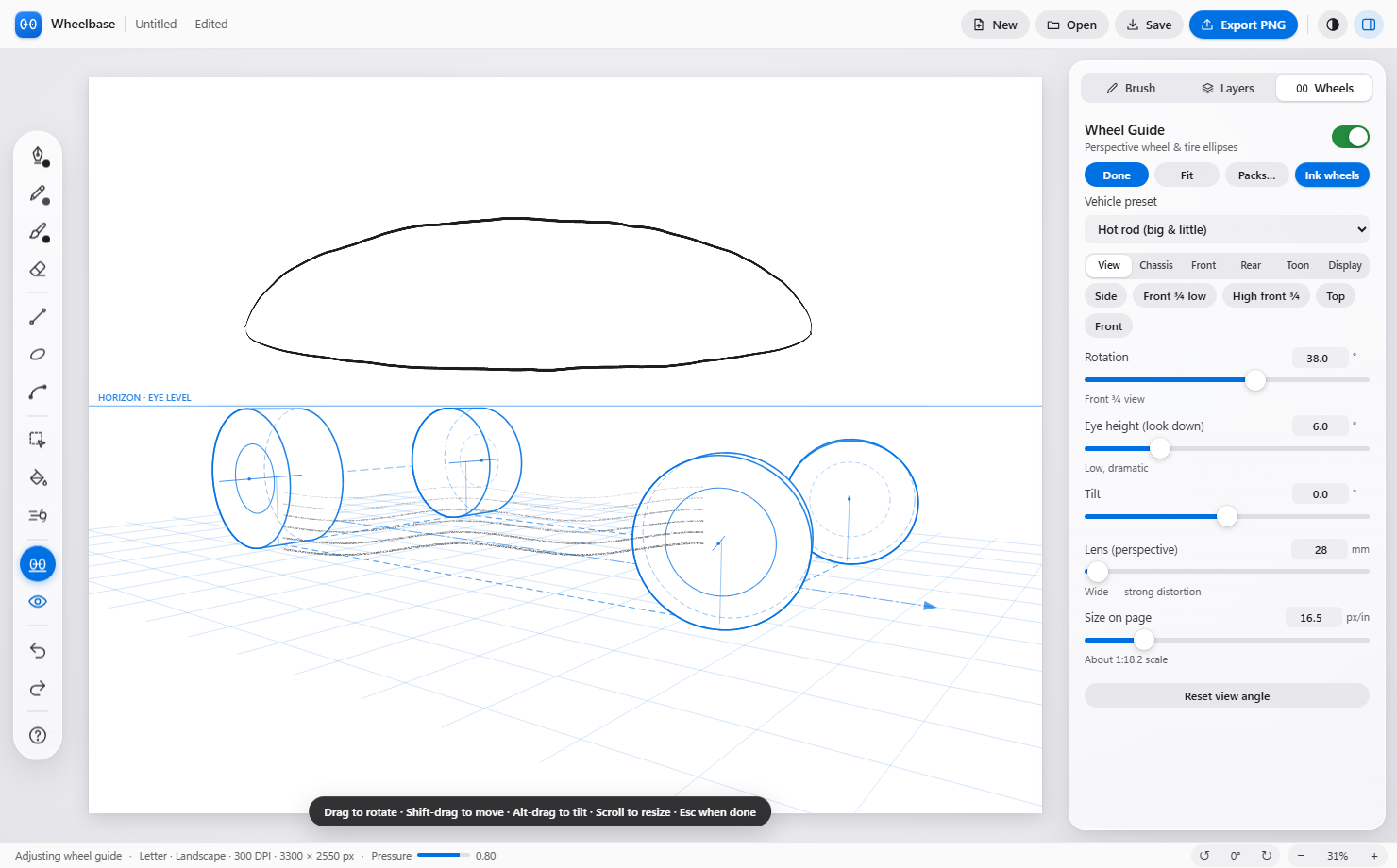
Set the wheelbase, track, tire size and camera. Wheelbase projects all four wheels in true perspective, the way the classic wheel-ellipse construction teaches it.
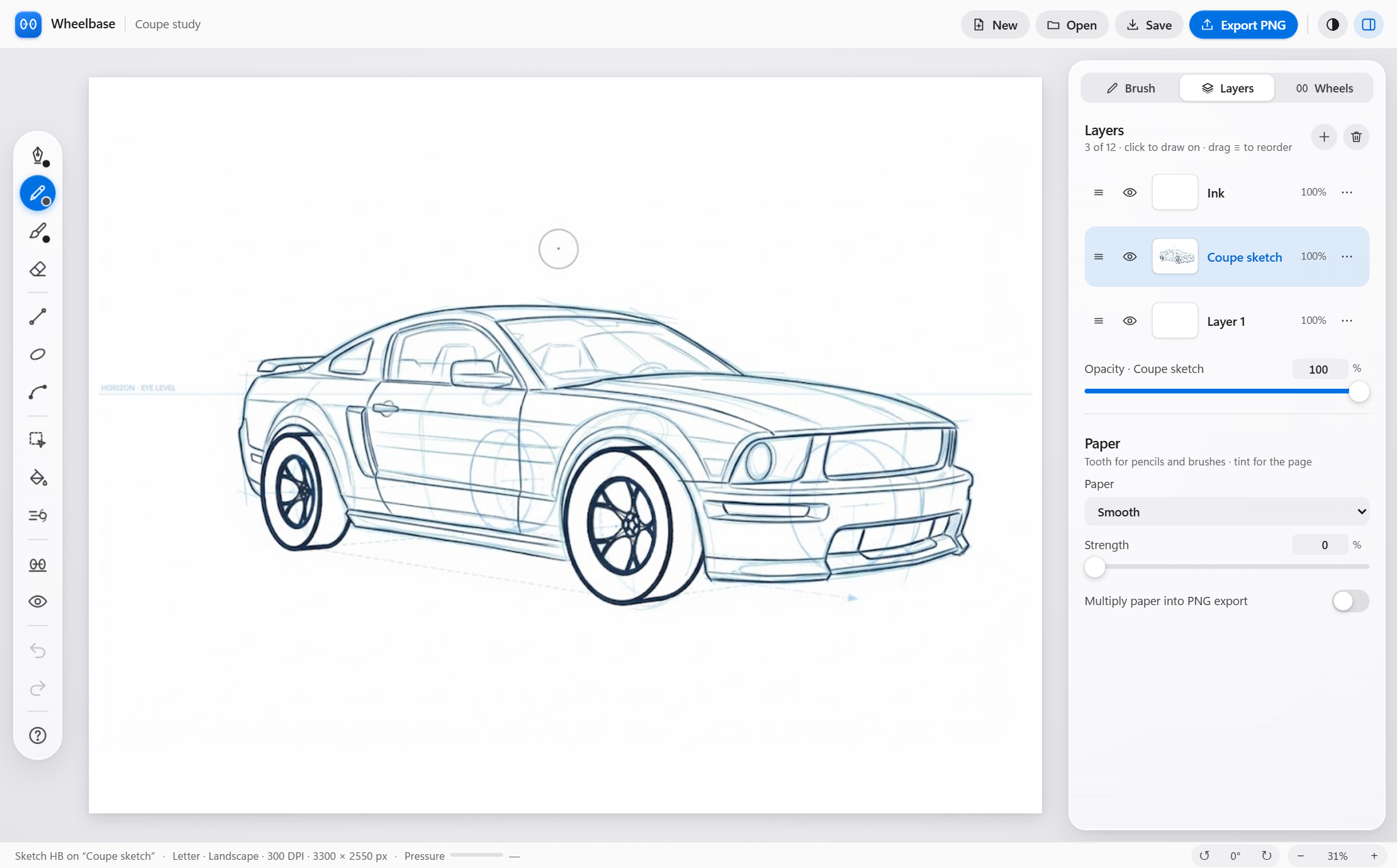
Wheelbase gives you a true-perspective 3D wheel and tire guide, so every ellipse lines up. Then ink over it with pressure-sensitive pens built for a Wacom, Surface or Android stylus.
Coming to Windows and Android, then iPad
See it in action
Two minutes in the real app: orbit the camera, change the wheelbase and tire sizes, swap wheel packs, crank up Toon mode, then drop in a body and ink it.
What's under the hood
Set the wheelbase, track, tire size and camera. Wheelbase projects all four wheels in true perspective, the way the classic wheel-ellipse construction teaches it.
Pressure and taper, line stabilization, and a pencil with real tooth. Works with Wacom, Surface Pen, S Pen and Apple Pencil.
Big-and-little tires, wheelies, rake and a bulging fisheye lens. Add flames, smoke, speed lines and burnouts in one tap.
Editable line, ellipse and bezier tools stay live until you commit, so you can nudge every curve into place.
Swap in wheel and tire packs: mags, wires, steelies, slicks and off-road treads. Ink the wheels with one click.
Every drawing is a full US Letter page at 300 DPI, with layers, selection, fill and PNG export.
Built for car artists
Pick a vehicle preset or dial in your own chassis, then swing the camera around it. Low and dramatic, high and wide, side, front or top: the wheels stay locked to the ground.
Ages 8 to 12
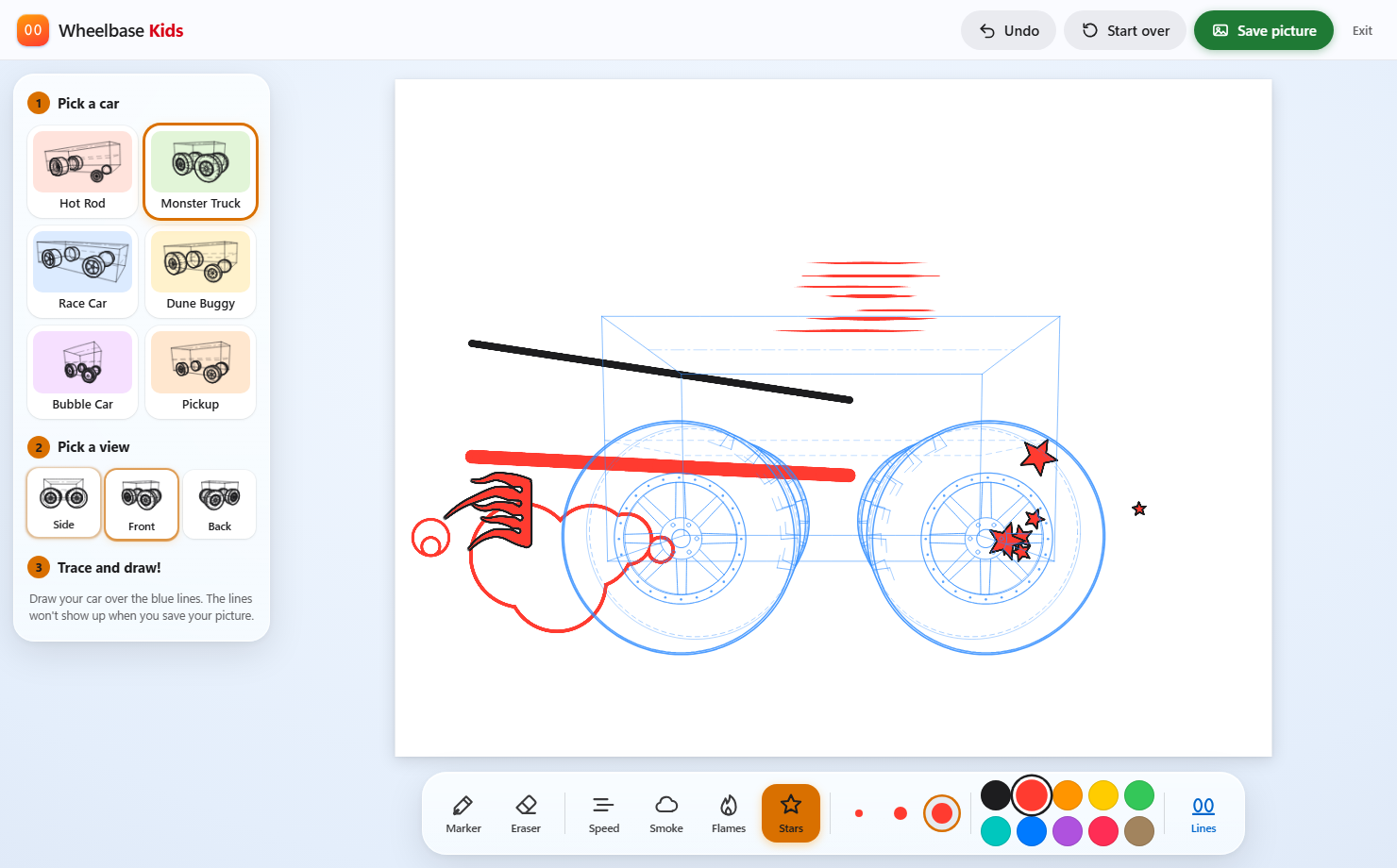
Pick a car, pick a view and trace over the blue lines. Add speed lines, smoke, flames and stars, then save the picture. Big buttons, simple tools and nothing to break.
Get Wheelbase